

Start your Belmont journey!
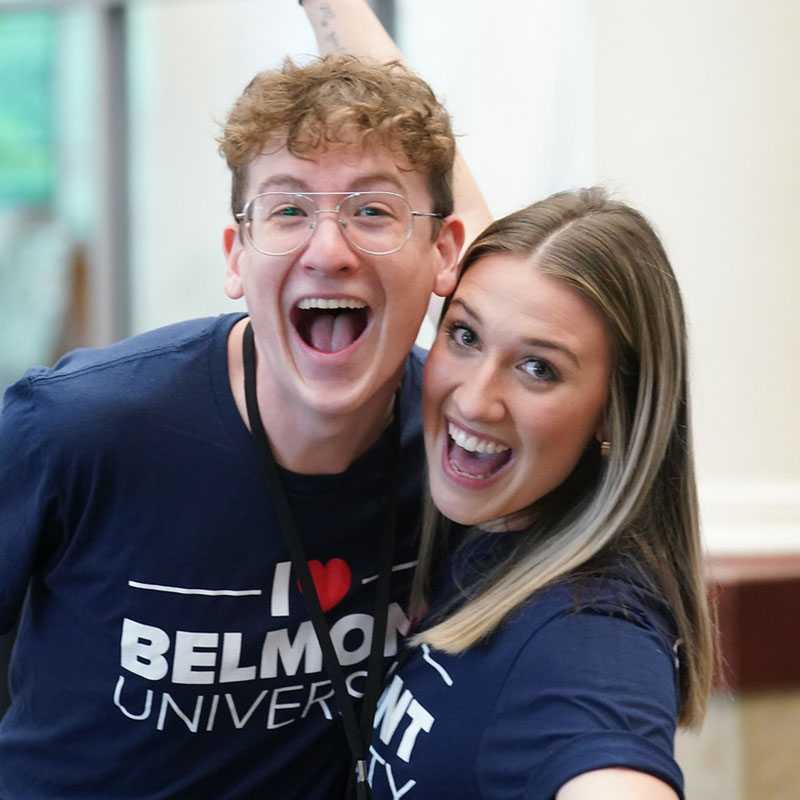 Welcome to Belmont! We are so excited you will be joining the Belmont community this upcoming semester!
We realize the "coming to college task list" can be daunting and confusing. There are so many to-do's and tasks it can be easy to be overwhelmed. Don't worry, we have you covered!
Belmont's orientation checklist is your one-stop, everything you need in one place, master checklist to help you keep complete key tasks as you prepare for life at Belmont! Check it out below!
Before you attend Summer Orientation
Two days after you submit your enrollment deposit, Microsoft will send you an email to your personal email address with instructions regarding your Belmont email account. You can access your Belmont email at www.office.com.
Most student Belmont email addresses are formatted this way: jane.doe@bruins.belmont.edu. Note: Your first name for your email address will be the preferred name you put on your Belmont application.
It is important that all students check their Belmont email regularly as key campus information (including course work updates from professors and campus wide updates) will be sent to a student's Belmont email.
Once you have followed the instructions to setup your Belmont email, you can use your email address and password to log into my.belmont student portal. You can login to my.belmont here and select the 'Take me to my account' button in the red box.
If you encounter any problems setting up your account, please email servicedesk@belmont.edu.
Before coming to Summer Orientation, confirm your major is correct. While there is no "button" to press, we want to ensure that we have on file is what you intend to study. Follow the instructions below to view your major and make any changes as needed.
New students may view their major in the Banner Web/Student Services menu in MyBelmont after the enrollment confirmation/deposit has been processed by Enrollment Services. To access Student Services, login into your "myBelmont" account, click “Banner Web” at the top, and click on the student tab. Select “Student Self Service” and from the menu select “Student Profile.” Your degree program and declared major will display in the box on the right.
If you wish to change your major prior to Summer Orientation, contact your Admissions Counselor. Once you register for classes, you may access the Program of Study Change Form on the Registrar’s website and follow the instructions provided. Students already enrolled in classes will send the change of major form to the Registrar’s office for processing.
The housing application for 2026-2027 is live! Students are encouraged to apply for housing as soon as possible. For more information, check out the Residence Life website or contact them at housing@belmont.edu.
You may find that you have a Policy Hold on your account when you log into MyBelmont. Holds are viewed on the left side of the main page after login. To remove the hold, click on the link that says "Review policy and remove hold" which will take you to a page that contains the full policy. Read it and acknowledge that you have read and understand the policy.
Three Common Holds for All New Students:
1). Statement of Financial Responsibility Hold: The Statement of Financial Responsibility is your registration agreement with the University outlining the financial responsibilities you assume when you enroll for classes, such as the responsibility to repay all tuition and education related expenses charged by the university during your enrollment. You will need to complete the agreement prior to course registration.
2). Advisor Hold: Your advisor hold will be lifted on the day of your orientation session by your academic college. The advisor hold does not need to be completed prior to summer orientation session.
3). Update/Verify Emergency Contact Information: As part of our continued student safety and support efforts, all students are required to review and/or update their emergency contact information.
-
Complete the Belmont Medical History form.
-
Enter immunization dates.
-
Sign the "Student Consent for Treatment and Privacy Practices" form.
-
Upload copies of your immunization record and the completed consent form. If you are under the age of 18, this needs to be signed by a parent or guardian.
Students' wellbeing is a top priority at Belmont. In alignment with this commitment, Belmont requires all full-time, degree-seeking undergraduate and graduate students to have health care coverage while enrolled at the University. The portal will open in May for students starting in Fall 2026.
-
Students with Insurance: Proof of coverage must be uploaded to the UHCSR Portal. Deadline information can be found HERE.
-
Students without Insurance: Those without adequate coverage in Tennessee (or wherever they reside while enrolled) may enroll in the Belmont Student Health Insurance Plan (SHIP). SHIP provides comprehensive coverage, including emergency, preventative care, mental health, and prescription drug services. Students who do not provide proof of insurance by the final deadline will be automatically enrolled, and the charge will be added to their student bill.
If you have any questions, please contact the Belmont Student Health Insurance Plan (SHIP) Support Center at (866) 233-4512 or email us at studentinsurance@belmont.edu .
Students who may need academic, housing, or other accommodations for documented disabilities are encouraged to connect early with the Office of Accessibility Services (OAS) to ensure timely support for a smooth transition to college.
To request accommodations:
- Visit the OAS website to review our FAQs and learn how college accommodations differ from high school IEPs and 504 plans.
- Review the Documentation Guidelines to ensure your materials meet OAS requirements.
- Complete the Accommodation Request Application using your MyBelmont credentials.
- Wait for follow-up communication. Once your application and documentation are reviewed, you’ll receive an email with either your eligibility letter and next steps or a request for more information.
Recommended submission dates:
• Housing accommodations: by May 1 (requests submitted after this date are not guaranteed)
• Academic and other accommodations: by early July
(Requests received in August may take two weeks or more to review.)
For more details, please visit the OAS website or contact the office directly with any questions. The OAS team is here to help you access the resources and support you need to thrive at Belmont.
After you attend Summer Orientation in June
Students attending orientation in August are still able to check things off the list over the summer! Many of these tasks can be completed in July, even if you are signed up for our session in August.
Belmont’s goal is for you to start the semester strong with the course materials you need on day one!
Belmont is a digital-preferred campus, making it easy for you to access required materials directly via Canvas. If your professors require print materials, those are available for purchase through our official print partner.
Your professors choose the format (digital or print) to best support your learning—so please review the information below carefully.
Find which courses require print or digital with the two steps below:
Step 1: Order your Print Materials (Action Required – Opens July 13)
Visit https://bncvirtual.com/belmont to order any required print books. Order early to ensure delivery before the first day of class. Your student account will be charged at the time of purchase. Tip: If you see “Materials Available on Canvas” when reviewing your materials list, that means you get digital access through Canvas—no print version offered through BruinBooks.
Step 2: Access your Digital Materials through Canvas (Charges Apply July 10)
You are automatically opted in and charged for required digital materials. Charges will be posted to your student account on July 10, 2026. Look for an email before classes begin with your full list of digital books and easy access instructions. Once your Canvas courses are published for Fall 2026, you’ll find your digital books under the BruinBooks link in Canvas.
Opt-Out Information (Digital Materials Only):
Deadline to opt out: Wednesday, August 26, 2026 (No refunds after this date.) If you opt out, you’re responsible for getting your own course materials. Please note: Belmont does not endorse or support third-party providers, and external purchases cannot be billed to your student account.
Print Return Policy:
If you need to return a print book ordered through bncvirtual.com/belmont, returns must happen within 2 weeks after the class start date or within 21 days of the shipment date—whichever is later.
For questions:
615-460-5054
The Bruin Card provides secure access to campus facilities and enables convenient, cashless payments at on-campus (and some off-campus) dining locations, vending machines, and print stations. Follow these steps to provision your mobile ID today!
- Get the App: Download Transact eAccounts from your app store
- Log In: Search Belmont University, Choose SSO Login, Sign in using your Belmont credentials
- Upload your Photo: Review the online photo submission guidelines, upload an eligible photo, and wait for your photo approval email.
- Add to Wallet: Tap "Add to Wallet" in the Transact eAccounts app to your ID to your device's mobile wallet.
- Need help? Visit our website or email bruincard@belmont.edu for assistance.
- Residential Students: All residential students are required to have a meal plan. The minimum plan is automatically applied to your student account, no action is required. Residential students who wish to upgrade their meal plan may do so between July 1 – August 25, 2026 through the Housing Portal on MyBelmont. After August 25th, residential meal plans may not be downgraded and are final for the academic year. To review all meal plan options, visit our website.
- Commuters Students: Commuter students who wish to purchase a meal plan for the fall semester may do so between July 1 – August 25th, 2026 through the Housing Portal on MyBelmont. Commuter students may purchase from the two commuter meal plans, or from any of the residential meal plans. Commuter meal plans do not roll over from Fall to Spring. For more information, visit our website.
Follow Belmont Dining on Instagram for special offers and meal plan promotions!
Download your essential dining apps.
- Transact Mobile Ordering: Bruin Eats is Belmont’s official mobile ordering app. Order ahead, skip the line and grab meals on the go. Check menus, hours, nutrition and allergen information and earn rewards. Download Transact Mobile Ordering from your app store to get started.
- Transact eAccounts: Track meal swipes, view account balances and add funds using Transact eAccounts. Download from the app store today and manage your meal plan with ease.
Belmont University’s Student Financial Services (SFS) is here to answer questions about student accounts and financial aid. We want to partner with you to make an education at Belmont a reality by simplifying the financial aid process and helping you understand your options.
Part of being ready for the first day of classes is ensuring your payment plan is set up.
Review Payment Deadlines: Payment Deadlines
Review SFS website for payment details and contact info: SFS
Email: finaid@belmont.edu
- Sign in to myBelmont and select "Security and Safety" from the top banner. Next, click "Belmont Alerts". Once on the Belmont Alerts page, select "Sign in with SSO credentials".
- Once the Belmont Alerts page opens, use the “Contact Type” field to enter the cell phone numbers that you want to receive Belmont Alerts. You are welcome to add family members to receive alerts as well. Once you’re finished, simply close the Belmont Alerts window and you are good to go.
- Safety Notifications: Receive instant notifications and instructions from Campus Security when on-campus emergencies happen
- Emergency Help: Contact Campus Security quickly via the phone or text features within the app in an emergency
- Campus Safety Resources: Access all important safety resources like shelter locations, escort requests, emergency plans, and mental health resources
Register Your Vehicle Online
All vehicles — including automobiles, motorcycles, mopeds and bicycles — operating on campus must be registered and have a proper permit. All vehicles must be renewed each academic year.
Registration is done through https://my.belmont.edu/ by logging in to your account and clicking on the "Bicycle and Vehicle Registration" link under the Campus Security and Safety tab. Before registering online, make sure you have the following information:
- Vehicle make
- Vehicle model
- Vehicle color
- License plate number
- Best contact phone number with area code
- Your local address (where you live while attending school, not your permanent residence)
Once you register your vehicle online, there is no need to pick up a permit, as they are virtual, except for bicycles.
More information found here: Vehicle Registration
Parking Information
Parking is free for all students. All vehicles operating on campus must be registered and renewed every academic school year. Please re-register your vehicle or bicycle on your MyBelmont.
Next step: View Belmont's Parking Map for parking locations.
BruinPrint is Belmont's student print station system. Operating through a network of hi-speed printers located throughout the academic buildings, BruinPrint will offer a variety of printing options including Print Anywhere. This special feature will allow students to send print jobs from their phones, tablets, personal laptops, or from campus computer labs for pickup at any BruinPrint station on campus.
In order to utilize Bruin Print, students will need to add money to their Bruin Print account, and then start printing. Visit this page for instructions on how to add funds to your account and how to print.
Contact servicedesk@belmont.edu with any printing issues.
All Belmont Wifi is free and publicly accessible through the network labeled "Belmont". Open your device, connect to "Belmont", and you are good to go.
Bruins Ahead is a collection of our comprehensive prevention programs, which consists of practical online education modules for all new students under the age of 22. Transfer students do not have to complete this program.
These courses are designed to equip students with the necessary skills to thrive within the college environment and beyond. They address topics such as personal and campus safety and risk reduction, providing information about campus resources and campus policy acknowledgments to help empower students to make well-informed decisions about issues that affect their college years and beyond.
All new students will be emailed in mid-September with access to the 4 separate programs. Part 1 is due October 15th; Part 2 is due November 30th.
You can find all information related to Bruins Ahead at https://my.belmont.edu/Belmont/Bruins-Ahead.
Looking to get more connected on campus? With hundreds of student organizations at Belmont, there’s something for everyone, and it all starts with Choosing Connection on BruinLink.
Why get involved?
- Build community – Find your people and make meaningful connections.
- Grow as a leader – Develop skills in communication, teamwork, and initiative.
- Explore your interests – Try something new or deepen your passions.
- Boost your resume – Gain experience that stands out to employers and grad schools.
- Make an impact – Contribute to causes and communities that matter to you.
Whether you’re looking to grow your faith, explore your passions, or just have fun and meet new people, there’s a community waiting for you. Here are a few of the organization categories you’ll find:
- Academic, Professional & Honor Societies
- Action, Politics & Cause-Based Groups
- Community Service
- Culture/Identity Organizations
- Faith Development
- Fraternity & Sorority Life (FSL)
- Interest-Based Groups
- Music & Entertainment
- Recreational & Club Sports
BOLD
Another great opportunity to find community and grow as a leader is BOLD.
Student Leadership Development at Belmont:
Every Belmont student can learn and practice leadership with or without a formal position. The Belmont Office of Leadership Development - BOLD exist to provide experiences that enhance student's capacity to lead and serve ethically. We believe in Leadership Development for All! We envision a campus where every Belmont student's character is shaped and equipped to serve and lead well.
Contact bold@belmont.edu for BOLD-specific questions or studentengagement@belmont.edu for any BruinLink questions.
Welcome, Bruins! We’ve partnered with several local services to offer you amazing perks around Nashville.
Free Nashville Public Library Card
As a resident of Davidson County, you’re eligible for a free Nashville Public Library card. Apply today by clicking here!
Free Campus Transportation
Thanks to our partnership with the Metropolitan Transit Authority (MTA), Belmont students can ride for free on public transportation. Here’s how you can get your virtual transportation card:
For a virtual card:
1. Download QuickTicket by WeGo app or click this link.
2. Create an account
3. Create a virtual card
4. Email your ticket number and BUID to wegotickets@belmont.edu or click WeGo Ticket Request Form
5. Once the user is added to the system, they will receive a confirmation email. Any questions or issues can be sent to wegotickets@belmont.edu or call 615.460.6241.
Commuter Bus Service
Belmont offers free bus transportation through the Relax & Ride system. This service covers several areas, including Rutherford, Sumner, Dickson, Springfield, Franklin, Brentwood, Clarksville, and Spring Hill. You can obtain tickets at Belmont Central. For more details, visit WeGo Transit.
Free Train Service
Belmont also offers free train transportation on the Music City Star, which connects you from Lebanon, Martha, Mt. Juliet, Hermitage, and Donelson to downtown Nashville's Riverfront Park. Tickets are available at Belmont Central. For schedule and more information, visit WeGo Transit.
Discount at Nashville Museums
Show your Student ID when buying your tickets for discounts at these awesome museums:
- Frist Art Museum
- Country Music Hall of Fame
- Johnny Cash Museum
- Cheekwood Estate and Gardens
- Pasty Cline Museum
- Belmont Mansion
Enjoy these perks and make the most of your time in Nashville! Go Bruins!
Questions?
If you have any questions regarding the checklist, email us at orientation@belmont.edu, and we will help you out.